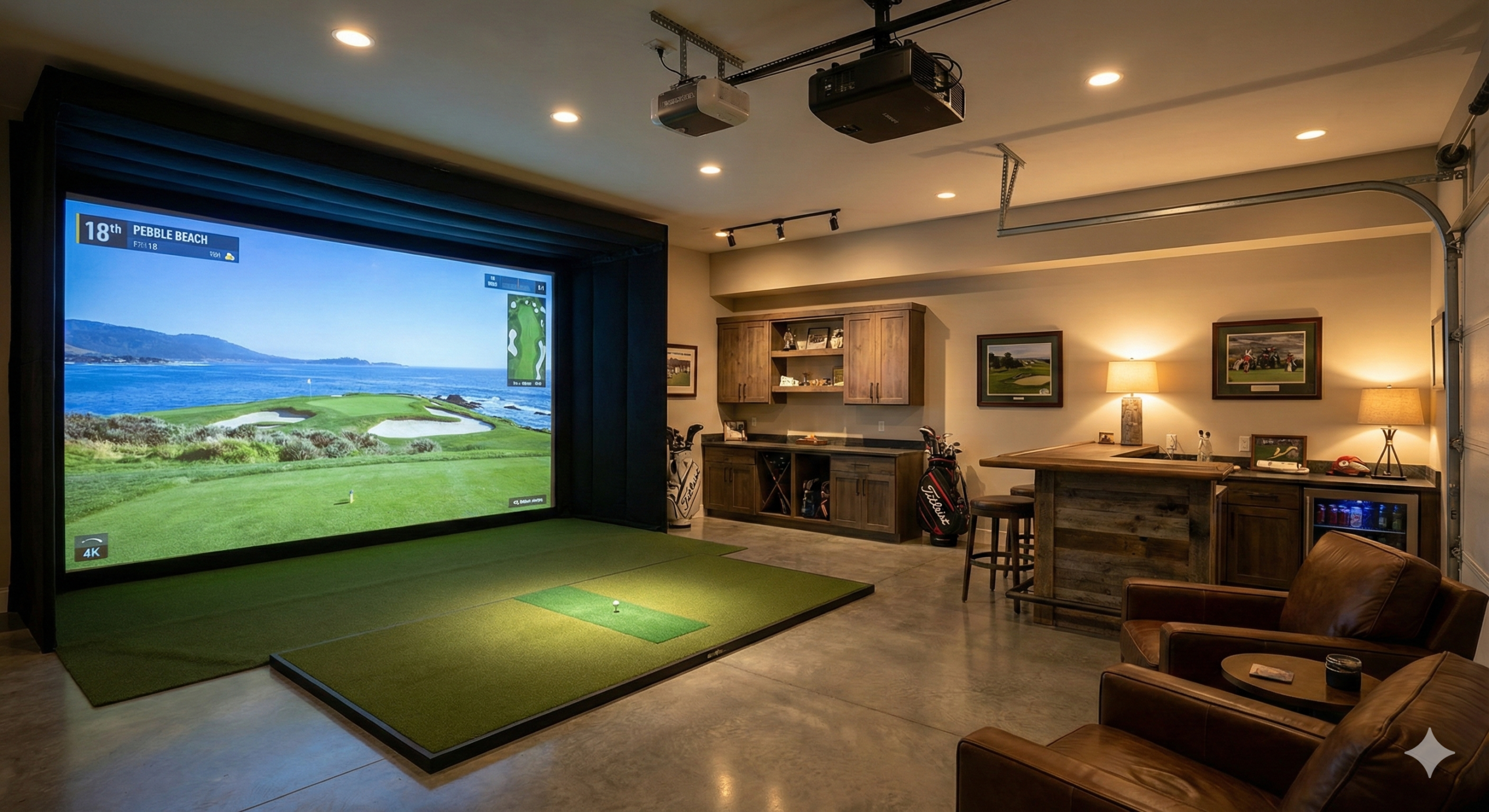
Introduction: The Hype vs. Reality
Look, I’ve been teaching this game for over 20 years. I’ve analyzed swings on $25,000 Trackman units that cost more than my first car, and I’ve toyed with $100 plastic gadgets that were basically glorified paperweights. If there is one thing I’ve learned in two decades on the lesson tee, it’s that the itch to hit balls doesn’t care about the weather forecast.
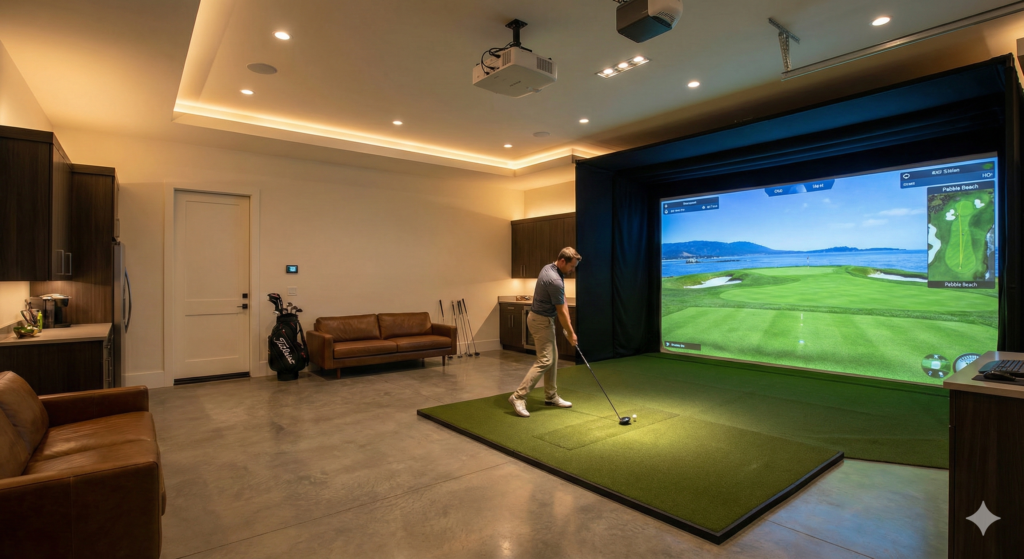
We’ve all been there. It’s mid-January, the ground is frozen solid, and the local range is closed. You’re standing in your garage, clutching a 7-iron, staring at a hanging tarp and thinking, “Man, I wish I had a simulator in here.”
For the longest time, that dream was exclusively for the wealthy. You either dropped $20,000 on pro-level gear (and likely caused a divorce), or you settled for hitting into a net and blindly guessing where the ball went. Even the “affordable” options like SkyTrak used to sit around $3,000—a price tag that is still extremely difficult to get past the “Household Budget Committee” (a.k.a. your wife).
Enter the Garmin Approach R10.
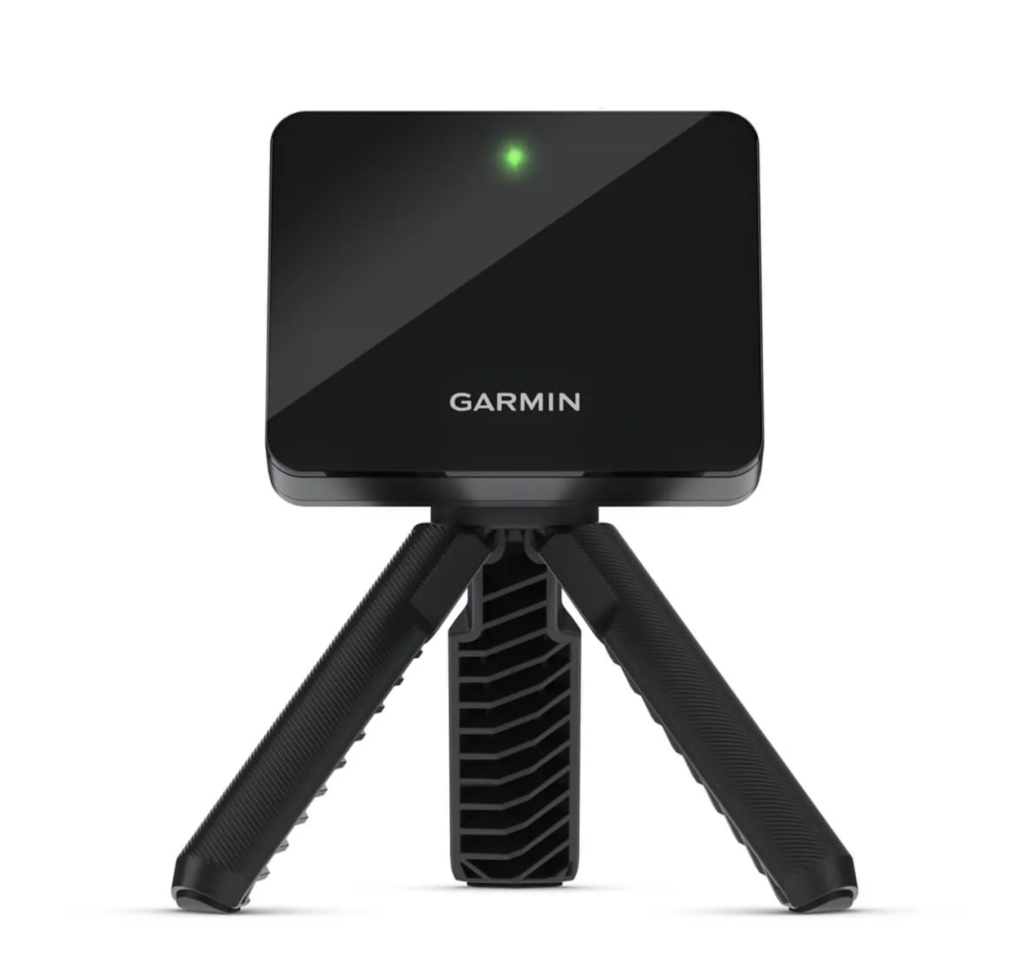
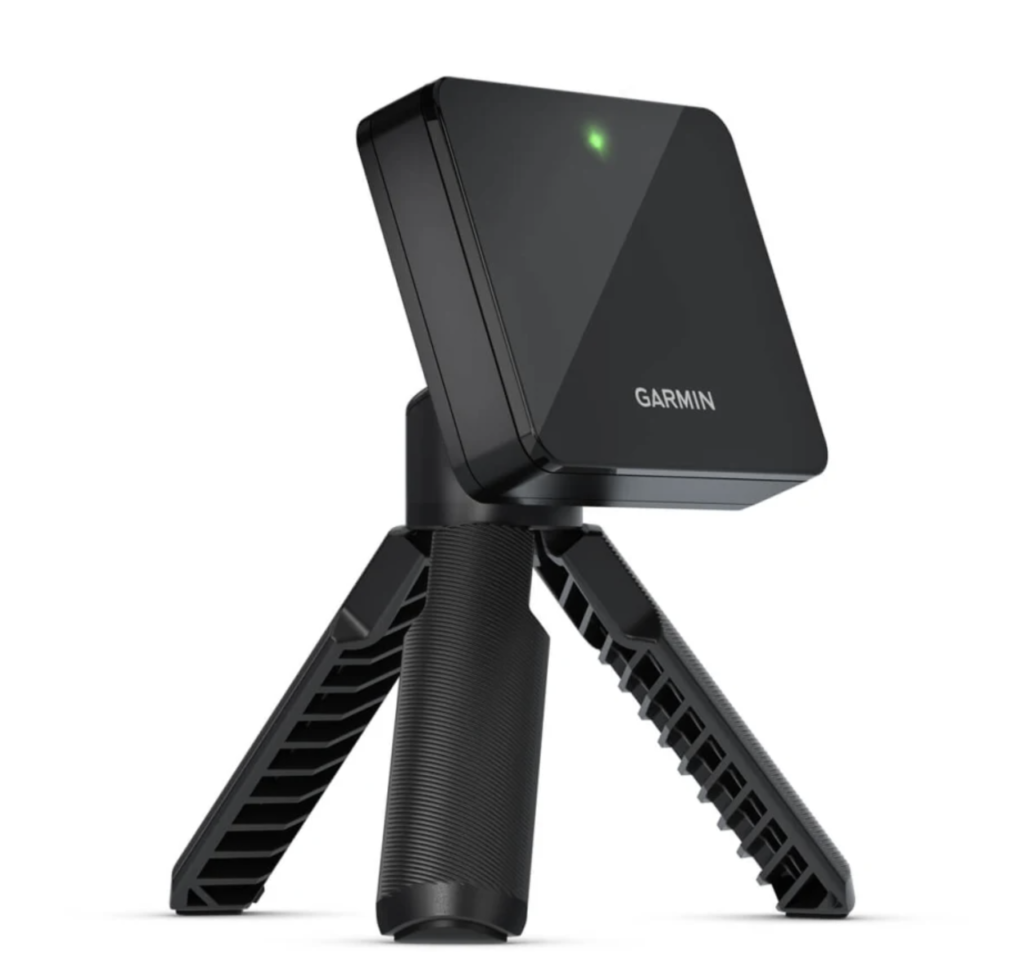
When Garmin announced a launch monitor for $599—roughly the price of a shiny new Driver—it completely disrupted the industry. Suddenly, the dream of a DIY garage simulator wasn’t just for the country club set; it was attainable for the average weekend warrior.
But let’s be real before you pull out your credit card: Can a device the size of a deck of cards actually compete with the big boys? Is it the “Holy Grail” of budget golf, or just a cheap toy that will frustrate you? I’ve put this thing through the wringer to find out.
The “Too Long; Didn’t Read” Verdict
The Coach’s Bottom Line: If you have the garage space (specifically depth) and a budget strictly under $1,000, the Garmin R10 is the undisputed king of entry-level launch monitors. It successfully transforms a boring net session into a legitimate, gamified simulation experience.
However, let’s manage expectations: This is not a professional fitting tool. It delivers about 90% of the data for 3% of the cost of a Trackman. For a mid-to-high handicapper wanting to play virtual golf and track carry distance, it’s a steal. But if you are a single-digit handicapper obsessed with perfecting your fade vs. draw spin axis, the indoor limitations of this unit might frustrate you.
Quick Look: Pros & Cons
| Why You’ll Love It (Pros) | Why You Might Hate It (Cons) |
| Unbeatable Value: At $599, nothing else offers this mix of simulation and data. | The “Indoor Spin” Issue: Struggles to read side-spin accurately indoors without special Titleist RCT balls. |
| True Portability: Fits in your pocket; takes seconds to set up at the outdoor range. | Space Hungry: Unlike cameras, this radar unit needs ~14ft of total depth to “see” the ball flight. |
| Software Ecosystem: Works with E6 Connect (5 free courses!), Awesome Golf, and GSPro. | Fussy Alignment: If the unit isn’t perfectly square to the target, your data will be wrong. |
| Data Depth: Tracks key metrics like Club Path and Angle of Attack, rare at this price point. | Putting is a Gimmick: Simulation putting is clunky and frustrating; you will likely turn it off. |
Setup & Space: Will it fit in your Garage?
This is the single most important checkpoint you need to pass before you smash that “Buy Now” button.
As a coach, I’ve seen this movie way too many times:
Guy buys the R10. Rips open the box like it’s Christmas morning. Sets it up in the garage… and then realizes his space just does not work. A week later? The R10 is back on eBay, sold at a painful discount.
Let’s save you from that heartbreak — and your wallet.
We do need to talk some physics, but relax. I’ll explain it in actual human language.
The Radar Problem (Doppler vs. Photometric)
To understand why the Garmin R10 is so picky about space, you first need to understand how it sees the golf ball.
Launch monitors fall into two camps:
📷 Camera-based (Photometric)
(SkyTrak, Bushnell Launch Pro)
Think of these like a hyper-speed photographer. At impact, they snap a few insanely fast photos and calculate ball flight based on what the ball looks like right after it’s hit.
Because they only care about that instant, they don’t need to watch the ball fly. Result? They’re extremely space-friendly.
📡 Radar-based (Doppler Radar)
(Garmin R10, TrackMan)
Radar units are like a cop’s speed gun. The R10 shoots out microwaves, they bounce off the ball, and Doppler magic tracks the flight.
Here’s the key difference:
📸 Cameras need a snapshot.
📡 Radar needs a movie.
If your ball smacks the net after flying six feet, the R10 hasn’t had time to see how the ball spins. The movie ends before the plot develops.
That’s why the R10 is brutally demanding about depth.
The Hard Numbers: 14–16 Feet or Bust
(Less than 14 feet? Don’t even try.)
If you want accurate R10 data — especially spin axis — you need a clear runway in your garage. Let’s do the math.
Unit to Tee: 6–8 feet
This gives the radar enough room to read club path and launch angle. Too close, and the R10 can’t even tell if you’re swinging driver or wedge.
Tee to Screen/Net: Minimum 8 feet (10+ is better)
The ball needs time to rotate at least once or twice so the radar can decide whether it’s a straight ball or a slice from hell.
Safety Buffer
You still need room to swing — and space behind the screen so a rebound doesn’t punch a hole in your drywall.
The final bill:
👉 14–16 feet (4.3–4.8 meters) of total depth. Minimum.
Coach’s Tip (A Loving Reality Check)
Buddy — grab a tape measure and check your garage right now.
If you’ve got 10 or 12 feet total…
Or your garage is stuffed with kids’ bikes, lawn mowers, and mystery boxes from 2016…
Close this article. Seriously.
Go look at SkyTrak+ or Bushnell Launch Pro instead.
Forcing an R10 into a tiny space is like learning to swim in a bathtub.
Perfect technique, zero chance of success.
Physics always wins — and bad data will wreck your swing faster than a bad YouTube tip.
The Setup Dance: Alignment Is Everything
(And yes, it’s kind of a nightmare.)
So let’s say your space does pass the test. Congrats 🎉
Now comes the R10’s biggest pain point: alignment.
The R10 is small and light — which is great, until it isn’t. On the floor, it’s basically a deck of cards.
- Bump it slightly? Alignment’s off.
- Carpet not flat? Alignment’s off.
- Off by 2 degrees to the right? Every pure straight shot shows up as a pull.
Set it too high or too low (not flush with the mat)?
Congrats — your launch angle data is toast.
Garmin’s official method is “eyeball it.”
That’s fine on a 200-yard driving range.
In a garage?
You’re guessing. Blindly.
The DIY Solutions (Save Your Sanity)
Luckily, the American DIY crowd has already solved this.
If you’re buying an R10, add these two items to your cart immediately:
🧱 3D-Printed Leveling Stand
Search “Garmin R10 Stand” on Etsy.
You’ll find custom stands with adjustable screw-in legs that let you perfectly level the unit on uneven concrete or carpet.
This is not optional.
The stock Garmin tripod is… let’s be polite and call it “basic.”
🔴 Laser Level
Grab a cheap construction laser from Harbor Freight or Amazon (Ryobi Cube is perfect).
How to use it:
Place the laser on the stand. Shoot a red line through:
- the center of the R10
- the ball
- the dead center of your screen
Do this once, and you’ll never trust your eyes again.
Instantly boosts accuracy by at least 30%.
Summary: Will It Fit?
Garage Depth > 16 ft
✅ Perfect fit.
You’ll get the best possible R10 performance.
Garage Depth 13–15 ft
⚠️ Usable, but not perfect.
With RCT balls (more on that later), accuracy is acceptable, but expect occasional weird reads.
Garage Depth < 13 ft
❌ Do not buy the R10.
You want SkyTrak or another camera-based unit.
Uneven, hard garage floor
🛒 Budget for:
- Etsy 3D-printed leveling stand
- Cheap laser level
Skip these, and you’re just guessing — and golf data hates guessing.
Data Accuracy Tests: The Moment of Truth
For this review, I set up a completely unfair fight.
I took a $599 Garmin R10 into my teaching studio and parked it right next to my $22,000 TrackMan 4.
That’s like putting a Honda Civic on an F1 track.
You’d expect the outcome to be obvious.
But the numbers? They might seriously surprise you.
Carry Distance (Driver & Irons)
(Shockingly accurate)
For most golfers building a home setup, distance accuracy is the number-one dealbreaker.
If a shot feels like 150 yards and the screen says 120?
The unit is dead to me.
The result:
When it comes to carry distance, the Garmin R10 is way better than it has any right to be — especially when it’s properly set up (laser-aligned in my case).
7 Iron — the R10’s sweet spot
I hit 20 balls.
- TrackMan average carry: 165 yards
- Garmin R10 average carry: 163 yards
That’s a 1–2% difference.
For practice? That’s basically perfect.
You can absolutely trust the R10 for distance control drills.
Driver
For moderate swing speeds (ball speed under 140 mph), carry distance stays very solid.
For the bombers (160+ mph ball speed), the R10 sometimes leaves a little distance on the table.
Example:
- TrackMan: 290 yards
- R10: 275–280 yards
Why?
Indoors, the ball just doesn’t fly long enough for radar to fully confirm its aerodynamics before it hits the net.
Still — for a $600 device, this is far beyond expectations.
Spin Rates & Shot Shape (The Achilles’ Heel)
Now we get to the part most reviews politely skip — but as a coach, I can’t.
Side spin / spin axis is where things get messy.
Outdoors, radar can track the entire flight, so it knows if the ball is curving left or right.
In a garage? The ball flies 8–10 feet. Sometimes it doesn’t even complete one full rotation.
Standard radar simply can’t see enough.
The result?
Without help, the R10 tends to make your shots look prettier than they really are.
You hit a nasty slice:
- TrackMan shows 40 yards right
- R10 might only see a slight right launch, miss the spin, and show a gentle push
That’s dangerous.
False positive feedback convinces you your swing is fine — while you’re quietly locking in bad habits.
The Fix — Titleist RCT Balls (Not Optional)
Garmin knows this problem exists. That’s why they teamed up with Titleist to create RCT (Radar Capture Technology) balls.
This is not marketing fluff.
RCT balls have radar-reflective metal strips embedded inside.
Think of it like giving a stealth aircraft a mirror — suddenly radar can see everything, even in short indoor flights.
Indoor Test Data (7 Iron):
| Metric | Standard Ball | Titleist RCT | TrackMan |
|---|---|---|---|
| Backspin | 4,200 rpm (estimated) | 6,100 rpm | 6,150 rpm |
| Spin Axis | 2° (basically straight) | 8° (clear draw) | 9° (draw) |
| Verdict | Algorithm guesswork | Very close | Gold standard |
Coach’s Verdict
Outdoor range?
Regular balls are fine.
Garage simulator?
RCT balls are mandatory.
Yes, they’re expensive — about $70 a dozen.
Or you can use metal reflective dots stuck onto normal balls.
Skip this step and the R10 becomes an overpriced distance meter, not a real simulator.
Use RCT balls, and spin accuracy jumps from around 70% to about 95% instantly.
For a $600 launch monitor, that’s straight-up black magic.
Software Experience — E6 Connect, GSPro, and More
(This is where the simulator comes alive)
You spent $600 on the sensor.
You burned an entire weekend setting up the net.
Now comes the fun part: turning your garage into Augusta or St. Andrews.
That magic? It all comes from the software.
The smartest thing Garmin did with the R10 was not locking you into a walled garden.
The R10 is basically a universal adapter — it plays nice with almost everything.
Here’s what you can realistically run on it.
The Default — Garmin Golf App
(Out of the box: data nerd meets arcade mode)
This is the app you get day one, usually running on your phone or iPad.
Driving Range Mode
Free. Clean. Straight to the numbers.
Ball speed, club speed, launch angle — everything you need to make quick swing tweaks without overthinking it.
Home Tee Hero
This is Garmin’s secret weapon.
Using GPS data, it lets you play 42,000+ real courses worldwide.
Yes — including the one down the street from your house.
The vibe:
Not photorealistic. Think Google Maps in 3D, slightly cartoony.
The ball flight feels more arcade than Tour broadcast.
Cost:
Requires a Garmin subscription — about $9.99/month.
E6 Connect
(The old-school classic — iOS users, this is your baseline)
If you’re on iPhone or iPad, E6 Connect is one of the most mature platforms in the industry.
Why people love it:
The physics engine is rock solid.
Graphics won’t melt your eyeballs, but it’s smooth, stable, and low-latency.
This feels like a serious golf simulator, not a video game.
Huge bonus:
Garmin includes 5 free E6 courses with the R10 — including legit names like Bandon Dunes — plus a driving range.
If you already own an iPad, that’s hundreds of dollars of content basically handed to you.
For budget-minded DIY builders, this is a massive win.
GSPro
(The DIY cult favorite — PC users, welcome home)
This is what people mean when they talk about the “ultimate garage simulator.”
GSPro doesn’t officially support the R10 (you’ll need a third-party connector),
but that hasn’t stopped it from becoming the hottest sim software on the planet.
Why it’s king:
Modern game engine.
4K graphics.
Insanely realistic ball physics — especially how the ball reacts on firm greens, checks up, or spins back.
The real magic: the community
GSPro supports user-created courses using LiDAR data.
That means thousands of community-built courses — including ones you won’t find anywhere else for… legal reasons.
Yes. That private club in Georgia. You know the one.
The catch:
You need a decent gaming PC to run it.
This is not a laptop-and-hope situation.
Awesome Golf
(The family-friendly sleeper hit — not just for kids)
Don’t let the cartoon logo fool you.
Awesome Golf is secretly one of the best data-visualization tools out there.
Why it shines:
The UI is gorgeous and clearly designed for iPad.
Its Coach Mode breaks down your shots into super intuitive charts — honestly clearer than Garmin’s own app.
Fun factor:
Mini-games everywhere.
Blow up buildings. Play golf darts. Hit sharks (yes, really).
If you want kids, spouses, or non-golf friends to actually enjoy swinging a club in your garage,
this is the easiest sell.
The Showdown — Garmin R10 vs. The Competition
You think I’m comparing launch monitors?
Not really.
I’m comparing your wallet versus your garage space.
Garmin R10 ($600) vs. SkyTrak+ ($2,995)
(The working man vs. the country club member)
This is the most common dilemma:
Do you spend $600 right now and have fun immediately,
or do you save up — or torch your credit card — for a $3,000 SkyTrak+?
Why SkyTrak+ costs so much (and earns it):
It’s a camera + radar hybrid.
It doesn’t need to watch the ball fly for 10 feet like the R10 does. If you’ve got room to swing, it works.
Side spin is extremely accurate.
Putting simulation is miles better than Garmin’s.
This is the gold standard for indoor simulators.
Why you’d still pick the Garmin R10:
Reason #1: The brutally expensive “space tax.”
If your garage is deep enough (14+ feet), are SkyTrak’s extra features really worth $2,400 more?
That money buys:
- A full set of premium irons
- A high-quality hitting mat
- A proper impact screen
And probably a case of beer.
Reason #2: Lefty / righty switching.
SkyTrak sits beside the ball.
Got a left-handed friend? You’re constantly moving the unit and recalibrating.
The R10 sits behind the ball.
Lefty, righty — who cares. For group sessions and garage hangouts, Garmin wins easily.
Verdict:
- Small space? Buy SkyTrak. Don’t overthink it.
- Big space, tight budget? Garmin R10 + RCT balls, and spend the savings on beer.
Garmin R10 vs. Rapsodo MLM2PRO ($699)
(The real street fight)
This is the true rival.
In the $600–$700 range, the MLM2PRO is the R10’s only serious competition.
Where the MLM2PRO shines:
It adds a high-speed vision camera that watches the ball’s dimples.
Result?
Much more accurate spin axis readings without relying as heavily on software guesswork.
It also supports GSPro natively — no workarounds, no hacks.
Why I still recommend the Garmin R10:
Reason #1: The subscription trap.
This matters — a lot.
Without the $199/year Rapsodo subscription, the MLM2PRO loses a huge chunk of its functionality, including access to many third-party apps.
With Garmin, you buy the hardware once.
Basic features and E6 Connect support are free forever.
Long-term? Garmin is dramatically cheaper to own.
Reason #2: Stability and ease of use.
Rapsodo can randomly disconnect from your phone and chews through battery life (cameras are power-hungry).
The R10 is like an old Nokia brick.
Ten-hour battery. Rock-solid connection. Once it’s paired, it stays paired.
For a device that lives in your garage, low drama is a feature.
Reason #3: Ball requirements.
The MLM2PRO really wants its proprietary Callaway RPT balls to perform at its best.
Garmin recommends RCT balls, but outdoors — or in less demanding setups — regular balls still work fine.
Final Verdict:
If you’re a hardcore data nerd and don’t mind paying every year for precision, go Rapsodo.
If you want a one-time purchase, minimal hassle, and something that just works every time you turn it on —
Garmin R10 is the smarter long-term play.
Coach’s Final Buying Advice
(The honest verdict)
After all the data, charts, and comparisons, it really comes down to two questions:
- Is your space big enough?
- Is your mindset right?
Here’s my final checklist. Walk into your garage, look around, and check the boxes honestly.
Buy the Garmin R10 IF…
(If these sound like you, buy it without fear)
Your garage depth is over 14 feet (4.3 m)
This isn’t opinion — it’s physics.
If you’ve got the depth, the R10 can deliver about 90% of its potential.
Your total budget is under $1,000
Spend $600 on the R10.
The remaining $400 gets you a solid Spornia net and a Country Club Elite hitting mat.
That’s a near-perfect entry-level setup.
You’re a “hybrid” golfer
You want to use it in the garage and take it to the driving range.
The built-in battery, carrying case, and phone connection make the R10 one of the best portable launch monitors ever made.
You want to play golf — not just study it
Your dream is cracking beers with friends and playing virtual Pebble Beach,
not obsessing over whether your 7-iron backspin is 6000 or 6100 rpm.
Walk Away IF…
(If these hit close to home, don’t buy it)
You’re a single-digit handicapper
If you shape shots on command — a five-yard fade, a soft draw —
indoor R10 misreads will drive you insane.
It simply can’t reliably detect tiny face-to-path differences indoors.
Your garage barely fits a swing
If you’re brushing the wall on your backswing or working with 10 feet of depth,
buying an R10 is buying disappointment.
Get a SkyTrak+. There is no workaround here.
You hate tinkering
If words like “3D-printed stand,” “laser alignment,” or “reflective dots” make your head hurt,
the R10 isn’t your device.
This unit rewards patience and fine-tuning.
You care deeply about putting simulation
Let’s be honest — R10 putting is a joke.
A $50 putting mat does a better job.
Conclusion: The Gateway Drug to Sim Golf
(Your ticket into the world of home simulators)
Is the Garmin Approach R10 perfect?
Absolutely not.
It misreads shots sometimes.
It guesses occasionally.
And yes — every now and then, it refuses to connect.
But it did something incredible:
It killed the myth that home simulators are only for the rich.
Not long ago, playing sim golf at home meant a $20,000 setup.
Today, for the price of a new driver, you can turn your garage into the happiest place in the house — especially on winter weekends with your kids.
For everyday golfers who just want to stay sharp when it’s cold outside, the R10 delivers ridiculous value and real joy — flaws and all.
So if your garage is big enough, stop overthinking it.
Park the car outside.
The car doesn’t get cold — you do.
Bring the R10 in.
Good luck with the setup, and hit ’em straight. 🏌️♂️